

Looking for the best online course platforms to power your eLearning business? You’re in the right place.
I dug through the market, tested the top platforms myself, and put together this in-depth comparison so you don’t have to waste time figuring out what actually works.
Below, you’ll find everything you need to know about my top picks, including key features, pros and cons, and pricing.
To make it easier to navigate, I split this post into two sections.
In the first section, I cover the best platforms for creating and selling courses on a website you own. In the second section, I look at online learning marketplaces where you can list your course alongside others and tap into a bigger audience.
Stick around until the end and I’ll show you what to look for in a course platform, how to price your course, how to promote it, and more. By the time you’re done reading, you’ll know exactly which platform fits your eLearning business.
TL;DR:
- Thinkific – Best online course platform overall. Extremely popular and boasts a significant feature set. 100% focused on online courses. Affordable plans.
- LearnWorlds – Powerful course platform with a focus on learning tools. Includes unique features such as the ability to create a branded mobile app for your school. Supports SCORM courses.
- Payhip – Best all-in-one platform. Sell courses, and more. Great for beginners. Affordable + free plan available with no feature-gating.
The best online course platforms compared
First, let’s take a look at the best online course platforms. These platforms enable you to create your own landing and sales pages, build your course curriculum, and sell access to your course directly through your own website.
This gives you far more control over your online business compared to selling on a course marketplace.
And in most cases, you’ll get to keep 100% of your profits. Some may charge additional transaction fees but it will typically be far less than you’d have to share with a marketplace.
#1 – Thinkific
Thinkific is one of the most popular online course platforms on the market and in general, it’ll be the best option for most course creators. It boasts a ton of cutting-edge features that can take your online courses to the next level, including live lessons and community-building features.
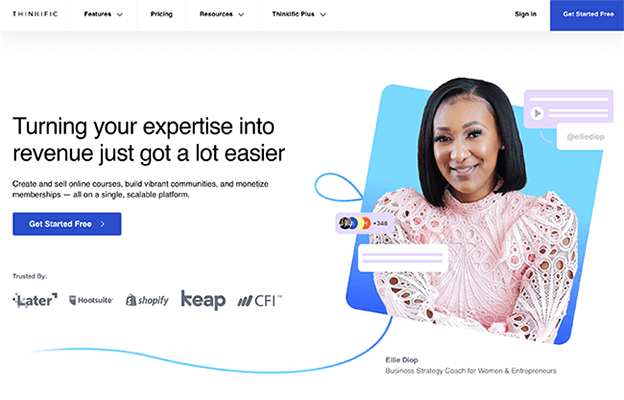
Creating a course on Thinkific couldn’t be more straightforward. The first step is to choose a pre-made template or theme. There are templates for everything, from mini-courses to flagship courses, webinars, pre-sell pages, and everything in between—and they all look great.
The course templates come pre-populated with rich features like quizzes, downloadable files, surveys, etc. and they’re highly customizable. You can use the drag and drop editor to add/remove content and change the design until everything is set up the way you want it.
Your courses can include all kinds of file types, from video, text, and images, to interactive elements like quizzes and surveys.
But our favorite thing about Thinkific is the Communities feature. It enables you to complement your online course by offering exclusive members-only content.
For example, you can set up Virtual Spaces to host discussions on different topics and interact with your students. Students can create their own learner profiles and use @ mentions to connect with each other, create threads, and respond to comments. This creates a communal learning experience where students learn from each other as well as the instructor.
In addition to the course creation and community-building features, Thinkific also comes with all the other e-commerce tools you need to manage your online business right out of the box. That includes a website builder, built-in marketing tools, an integrated payment processor, bookkeeping tools, student management and analytics, and much more.
And if that’s not enough, you can extend its functionality even further with integrations through the Thinkific App Store. You can use third-party apps to automate email campaigns, create coupons, offer product bundles, convert leads, etc.
A final point to mention is that Thinkific offers the best support we’ve seen. There’s round-the-clock online and phone support, plus an extensive knowledge base and a Creator Community forum where you can find answers to all your questions.
Key features
- Drag-and-drop course builder. Use templates and a no-code interface to create online courses.
- App Store. Use 80+ third-party apps that integrate natively with Thinkific and extend your online course website’s functionality.
- Live lessons. Boost engagement by live streaming educational content to your students.
- Assessment features. Add quizzes, assignments, and exams to check student progress and offer certificates to high achievers.
- Multimedia support. Incorporate videos, interactive content, images, PDFs, and more into your content.
- Website builder. Build your own storefront with ready-made themes and use it to promote your online course.
- Communities. Build your own community with student forums and members-only content.
- Ecommerce features. Checkout, payment processor, one-click upsells, tax and bookkeeping features, etc.
Pros and cons
| Pros | Cons |
| Highly extensible with third-party apps | No mobile app |
| Excellent templates | Communities feature only included in higher-tier plans |
| Student assessment and engagement | |
| No transaction fees |
Pricing
Plans start from $49/month with access to most features and no transaction fees. Try it free for 14 days.
Read our Thinkific review.
#2 – LearnWorlds
LearnWorlds is another fantastic online course platform that’s targeted more toward serious creators that care about education, academic institutions, and in-company training. It stands out for its focus on engagement and excellent selection of online learning tools. Some of its highlight features include interactive videos, custom user roles, and support for SCORM courses.
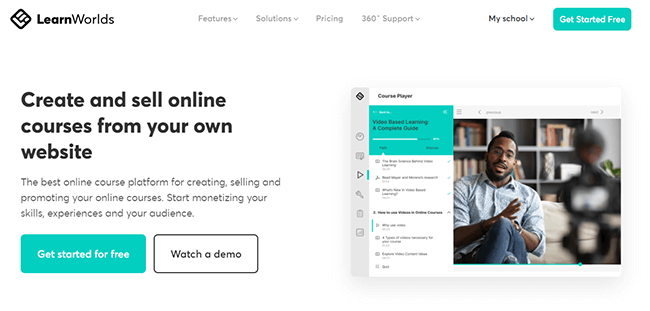
Like the other platforms we’ve looked at so far, LearnWorlds offers everything you need to create courses and sell them online, including course creation tools, marketing tools, analytics, and customizable templates.
However, there are a few things that make LearnWorlds unique from its competitors. For example, unlike most other platforms, LearnWorlds is SCORM compliant, which gives you greater flexibility to switch between platforms if you decide to.
It’s also one of the only platforms that gives you the ability to create your own branded mobile app for iOS and Android that students can learn from on the go. It’s 100% white label and supports in-app purchases and push notifications
But the thing we like most about LearnWorlds is how interactive it is. It’s the only platform we’ve seen that offers a fully interactive video player. You can add hotspots, quizzes, links, overlay images, tables of content, and more to videos so that instead of just watching the lesson, students can interact with it.
Not only that, but students can even highlight text as they read through the content and add their own notes to come back to later.
This kind of interactivity increases student engagement and creates a more fun learning experience for your customers.
Key features
- Custom user roles. Control access to your school with predefined user roles and customizable permission levels, enabling you to collaborate efficiently with your team.
- Hosted video content. LearnWorlds offers video hosting so you don’t have to upload them elsewhere and embed them separately.
- In-depth analytics. See how learners interact with your videos, track completion rates, and gather useful insights to inform your strategy.
- Customizable course player. Control the layout of your course and decide how students can navigate through it with flexible pathways.
- Note-taking features. Improve learning outcomes by enabling your students to add notes and highlights to your course content from within the platform interface.
- Assessments. Implement quizzes, tests, assignments, and more. And offer branded digital certificates to reward students who do well.
- Marketing tools. Drive traffic, collect leads, and increase sales with affiliate management, coupons, high-converting sales pages and funnels, SEO-friendly URLs, etc.
- Website builder. Build your school website with world-class templates and widgets
- Mobile app. Tap into the mLearning market with the Mobile App Builder. Customize the look and feel of your app to match your brand, and control both your website and app from a single unified interface.
Pros and cons
| Pros | Cons |
| Best platform for interactivity | No free plan (only free trial) |
| Unique features like note taking and interactive videos | Hefty transaction fees on Starter plan |
| Build your own branded mobile app | |
| Extensive customization options |
Pricing
Try LearnWorlds with a 30-day free trial. No credit card required.
The Starter plan is the lowest-tier pricing option and costs $24 per month plus a $5 transaction fee per sale. Plans with no transaction fees start at $79 per month, they also include unlimited courses and more features.
Read our LearnWorlds review.
#3 – Payhip
Payhip is a leading all-in-one platform that you can use to sell pretty much any type of product, including online courses. Its course creation features are very strong and it stands out for offering excellent value for money.

Right off the bat, Payhip deserves credit for having one of the best free plans of any online course platform.
It’s one of the only tools I’ve tried that offers a truly no-limits free forever plan that gives you access to all features and unlimited products & revenue. And its transaction fees are lower than most too.
When you’re building your courses in Payhip, you can add different types of content like videos, text, quizzes, surveys, embeds, downloadable files, and assignments to your lessons. Then you can group lessons together into sections to keep things organized.
Students have access to their own accounts and can work through your lessons in Payhip’s branded course player, which you can customize with your own logo and colors. There’s also a built-in commenting system so students can leave questions and comments directly on lessons in the player, which is pretty neat.
Payhip supports drip courses, so you can control when students get access to specific sections/lessons. It also lets you award certificates to students for course completion, which is a nice incentive and helps keep learners engaged and focused.
On the ecommerce side of things, Payhip is also very strong. I found it offers more flexibility than most when you’re pricing your courses. You can charge one-off payments, offer subscription memberships, set up payment plans, create and distribute discount coupons, offer free preview lessons, etc.
You can even let customers preorder on your course, which is great as it means you can start to build buzz and generate revenue before your launch date.
Beginners will also appreciate Payhip’s VAT & tax handling features. It can collect, report, and pay digital EU/UK VAT on your behalf, which makes everything a lot simpler and will save you a lot of hassle.
Aside from courses, you can also sell digital downloads, coaching sessions, memberships, and physical products with Payhip. It has all the features you need like inventory management tools, marketing tools, Zoom and Calendly integrations, digital file delivery, etc.
This is great as it means you have the option to expand beyond online courses in the future if you decide to branch out.
One last thing to point out is that Payhip is very user-friendly. In my tests, I found it a breeze to work with—I was able to build a site and put together a basic short course in under half an hour. The store builder is particularly easy to use and there’s a good selection of themes to choose from.
All in all, Payhip gets top marks all-around. It might not be quite as popular as some of the other online course platforms on the market, but it should be.
Key features
- Online course builder. Create your complete online course curriculum by adding sections and lessons, and filling them with multimedia content.
- Drip courses. Drip your course content out to students at regular intervals to control when they can access the next lesson.
- Course player. Students work through your courses in an interactive course player complete with a commenting system and progress bar.
- Certificates. Incentivize students to complete your course by creating and distributing reward certificates.
- Store builder. Build a professional-looking online store in minutes using the powerful, drag-and-drop store builder and stunning website themes.
- Payments. Get paid easily through PayPal and Stripe and offer flexible pricing options like one-time payments, subscriptions, payment plans, free trials, discounts, etc.
- VAT & taxes. Payhip assumes full responsibility for complying with EU & UK VAT so you don’t have to. It detects if a customer is based in the EU or UK, applies the right amount of VAT to their order, and reports and submits quarterly reports to the relevant tax authorities.
- Marketing tools. Use built-in marketing tools to drive sales, including an affiliate marketing tool, cross selling and upsells, review system, and email marketing tool.
- Sell other products. Payhip has all the features you need to sell all types of products including digital downloads, physical products, coaching, and memberships.
Pros and cons
| Pros | Cons |
| No feature-gating | Only offers basic community features |
| Sell all types of products including courses | Analytics could be better |
| Great free forever plan | |
| Powerful online course builder | |
| Flexible payment options | |
| Includes tax & VAT handling |
Pricing
Payhip offers three plans: Free Forever, Plus, and Pro.
All plans come with the same features and unlimited products and revenue. The only difference between them is in the subscription cost & transaction fees.
Free users pay 5% transaction fees on each sale but no monthly subscription costs. Plus users pay $29/month + 2% transaction fees. Pro users pay $99/month but no transaction fees.
The free plan is a good choice if you want to test the waters before investing in an online course platform.
But once you’re making a lot of sales, you’re probably going to save money if you opt for the Pro plan as you won’t have to worry about Payhip taking a cut of your sales. Fortunately, you can always start out free and upgrade later down the line.
Read our Payhip review.
#4 – Skool
Skool is the best choice if you want to take a community-first approach to selling courses.

It blends community and courses together for a more collaborative learning experience. Instead of working through lessons independently, learners interact with each other through your Skool community discussion boards and earn points for being active.
This gamifies the learning experience, encouraging students to discuss what they’ve learned in your course content, share their knowledge with one another, and work through problems together. This helps to keep them engaged, so they stay subscribed for longer.
Skool also functions kind of like an online marketplace. Once you sign up and build a group, it’s listed on the Skool marketplace, making it easier for new members to discover and join your community.
It’s up to you whether you make your course free or paid. If you make it paid, you only have the option of subscription billing. You don’t have the option of selling access to your course content for a one-off flat rate like you do with some other platforms—members have to pay a recurring fee.
You also don’t have much control over how your Skool community is set up. All groups look more or less the same.
There’s a Community tab where you and your members interact. It’s set up like a traditional internet forum (think Reddit or Facebook groups), organized into discussion categories with a running feed of threads/posts, which users can comment on and share photos, videos, polls, etc.
The Classroom tab is where you build your course content and where members access it. There’s an intuitive course creation tool that you can use to create lessons and modules, and members who open the course view lessons in a distraction-free, interactive course player.
The Calendar tab is where you create and list events (like webinars and Q&As). You can set these up so that everyone can join events, or restrict them to certain members (like those who have reached a certain level).
The Leaderboards tab is where members can see who’s earned the most points that week/month/year, etc. Course leaders (that’s you) get to decide what perks members get at each level. For instance, they might unlock exclusive course content. Members can earn experience points and level up by completing tasks and course content.
My biggest gripe with Skool is the pricing structure. On the one hand, it’s simple and you get everything for a single fee. No feature gating. But it does mean there are no “entry-level” plans. And Skool takes a 2.9% cut of each sale (that’s their ‘transaction fee’) you make on top of the monthly platform fee.
Key features
- Communities. Learners interact in an ad-free community space. They can create posts, leave comments, message one another, and make friends.
- Classroom. Build your online course that members can work through in an interactive course player.
- Calendar. Host live events like webinars to supplement your courses and interact directly with learners.
- Member profiles. Members get comprehensive profile pages that show their levels and daily activity charts. They can follow other profiles and interact through chat.
- Leaderboards. Members earn points for completing tasks and ‘level up’ their accounts, which helps to gamify your course and keep learners engaged.
- Email. Send out one-off email broadcasts to your group members to notify them of important updates.
- Plugins. Extend the functionality of your Skool group with plugins.
- Analytics. View insights into your group, including daily member activity and growth metrics.
Pros and cons
| Pros | Cons |
| Best for combining courses and community | No course assessment tools |
| Top-notch gamification features | Not very flexible (subscription-only pricing, limited customization options) |
| Very easy to use | Transaction fees |
| Groups are listed on the Skool marketplace | |
| Straightforward pricing |
Pricing
There’s only one plan. It costs $99/month and includes all features, unlimited courses, unlimited members, and one group. There’s a 2.9% transaction fee on each sale.
You can get started for free with a 14-day free trial.
#5 – Podia
Podia is another good option for those that want an ‘all-in-one’ solution. You can use it to build your website and start selling online courses, webinars, memberships, digital downloads, and more from one online storefront. And it comes with some excellent built-in marketing tools.
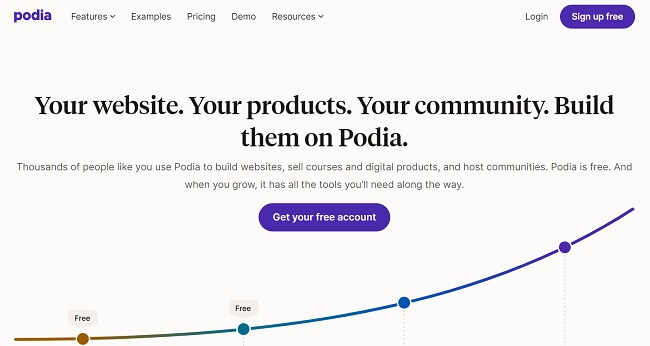
Over 150,000 creators use Podia to power their online courses—and it’s clear why. It’s one of the most powerful online course platforms on the market, with an easy-to-use interface and some cutting-edge features.
The course creator is very intuitive. You can start with one of Podia’s templates and then customize them. Podia supports pretty much every type of media, so you can add images, videos, audio files, links, pdfs, quizzes, and more to enrich your lessons.
And unlike most course platforms, Podia comes with unlimited video hosting included. So you can upload your video content to the platform directly, rather than embed them from elsewhere.
This means you don’t need to rely on third-party sites like YouTube or Vimeo to host your video content and retain full control and ownership.
You can create online courses and build personalized landing pages for each of them. Then, you can either sell them as standalone courses or as drip courses.
With drip courses, you deliver content section-by-section to your students at set intervals to keep them engaged and encourage them to stay subscribed to your course membership program.
If you want, you can also bundle courses up together with your other Podia products and sell them as one package.
You don’t even have to wait until you’ve finished building your course to start making sales. You can use Podia to pre-sell it before launch. This is a great way to validate your idea and build momentum ahead of launch day.
Another thing we like about Podia is that it allows you to create cohort-based courses—courses that are set to start at a future date so that all your students start at the same time. This can help you to create a sense of community and boost engagement.
And speaking of engagement, Podia lets you issue certificates and rewards to students to incentivize course completion and keep them engaged.
You can also add multiple-choice quizzes to the end of each lesson to make sure they’ve been paying attention, track student progress to see how they’re doing and where they’re dropping off, and even send them emails and on-page messages through the chat widget!
Key features
- Automatic tax collection. If you turn the ‘Collect taxes’ feature on, Podia will automatically charge customers the correct tax amount based on their location.
- Membership options. Set up your own private membership site and build an online community, with gated-only access.
- Upsells. Increase your average order value with automatic upsells.
- Instant payouts. Podia pays out instantly with no holding period, so you get your money as soon as you make a sale.
- Unlimited everything. With Podia, there are no limits on courses, students, emails, or sales, so you can scale up infinitely and sell as much as you can without worry.
- Zero transaction fees. Podia won’t take a cut of your sales if you sign up for a paid plan, so you get to keep 100% of your profits.
- Flexible payment options. Let your customers set up payment plans or take single payments through Stripe, PayPal, etc.
- Free course migration. Move your course content and customers over to Podia from your previous online learning platform for free.
- Set your start date. You can arrange for courses to start at a set future date, which is great for cohort courses.
- Chat widget. Message customers and site visitors through the on-page chatbox to boost sales and engagement.
- Outstanding support. Podia offers excellent live chat support seven days a week.
- Website builder. Build your own mobile-friendly website with a free Podia subdomain, or connect it to your own URL on paid plans.
- Streamlined checkout. Podia’s checkout converts like crazy. It’s fast and simple, so customers are less likely to drop off.
- Free course migration. Move your course content and customers over to Podia from your previous online learning platform for free.
Pros and cons
| Pros | Cons |
| Build your own community | No open API |
| Integrated live chat feature | Rigid page design |
| Multimedia courses | Website builder is very basic |
| Sell all types of digital products | |
| Easy to use |
Pricing
Paid plans starting from $33/month, which lets you sell unlimited courses, coaching products, and downloads, with no transaction fees. The money you’ll save on transaction fees should more than cover the monthly subscription cost.
Higher-priced plans with advanced features like webinars, affiliate marketing, etc. are also available.
Get started with a 30-day free trial.
Read our Podia review.
#6 – Teachable
Teachable is another popular online course platform. It’s used by over 100,000 creators and is great for beginners and experienced course creators alike.
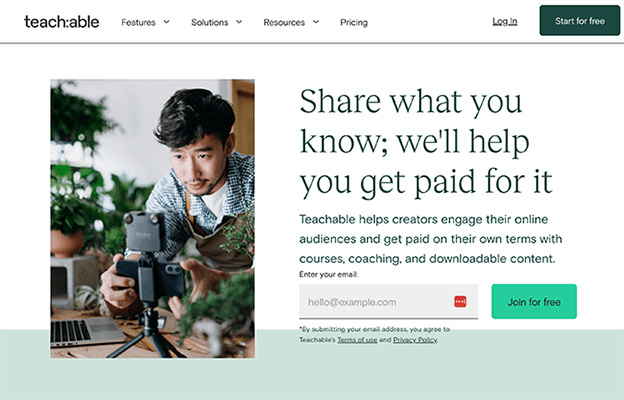
As an all-in-one platform, Teachable comes with all the tools you need to create your website, launch your course, drive sales, and manage your students.
It supports more payment methods than most other platforms, so you can give your customers more ways to pay. You aren’t limited to just PayPal and Stripe—you can also accept payments through Apple Pay, Google Pay, and many more. And get paid in over 130 currencies.
You can even set up flexible payment options, like free trials, subscriptions, payment plans, etc. And Teachable takes care of taxes for you so you don’t have to collect them manually, which is a huge time-saver.
Another one of our favorite things about Teachable is its custom completion certificates. Course creators can build their own certificates for students who complete course modules, which helps to boost engagement.
Other neat features include course compliance tools. You can set up mandatory pre-requisites that students must meet before they can progress through the course. For example, you can require students to achieve a certain minimum quiz score before they move on to the next module.
And of course, it also comes with all the marketing tools you’d expect, including email marketing, affiliate marketing, and referral marketing.
The templates are professionally-designed and you can customize them pretty extensively. If there’s something you can’t do in the editor interface, you can edit the code directly from the Power Editor.
Key features
- Intuitive drag-and-drop builder. Create courses, coaching services, sales pages, checkout pages, and more in a drag-and-drop interface.
- Extensive integrations. Teachable natively integrates with MailChimp, Google Analytics, Zapier, and lots of other popular software solutions.
- Student engagement features. Encourage engagement with features like quizzes, certificates, and comments.
- Business management. Customer user roles and automatic payouts.
- Marketing and sales tools. Affiliate and email marketing, order bumps, upsells, coupons, etc.
- Sell more than courses. While Teachable is still primarily focused on courses, you can use it to sell other types of digital products.
Pros and cons
| Pros | Cons |
| Tax management | Customer support could be better |
| Easy to use | Transaction fees on lowest plan |
| Bulk uploads | |
| Flexible payment options |
Pricing
The Starter plan costs $29/month and comes with additional features. You can sell one product with a transaction fee of 7.5%.
Higher-priced plans with no transaction fees and even more premium features start at $69/month.
#7 – Kajabi
Kajabi is an all-in-one online course platform built for knowledge entrepreneurs. You can use it to create, market, and sell all kinds of knowledge products, including online courses, coaching programs, and memberships.
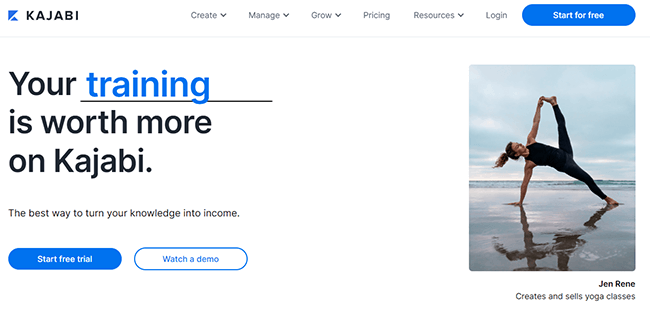
You can use Kajabi to manage every step of the course creation process, from building your website to creating your curriculum, setting up marketing and sales funnels, and beyond.
It comes with a built-in CRM and a full suite of marketing tools that you can use to manage your students and promote your products.
One of our favorite things about Kajabi is the Product Blueprints feature (these are basically pre-designed templates). There are Blueprints for all kinds of digital products including mini-courses, longer online courses, drip courses, memberships, and more.
There are also Pipelines Blueprints. Pipelines are ready-made sales funnel templates. All you have to do is choose a template (there are Pipelines for product launches, promotional offers, etc.) and Kajabi will create all the pieces you need for the whole marketing campaign.
It’ll generate the necessary landing pages, forms, email marketing sequences, checkout pages, etc., and connect it all together to build a complete sales funnel.
Key features
- Product Blueprints. Build courses and digital products quickly and easily with professionally-designed templates.
- CRM. Kajabi has a built-in customer relationship management platform.
- Pipelines. Create whole sales funnels and marketing campaigns in a few clicks.
- Blogging functionality. Drive SEO traffic by publishing blog posts to your Kajabi site
- Course insights. Keep track of how your students are progressing with deep course insights.
Pros and cons
| Pros | Cons |
| Broad feature set | Interface can be overwhelming |
| Excellent marketing tools | No free plan |
| High-converting templates | More expensive than other platforms |
| SEO optimized |
Pricing
Kajabi plans start from $119/month when billed annually and there are no transaction fees on any plan. No plan offers unlimited courses however, with all plans you get unlimited landing pages and marketing emails.
There’s no free plan but you can get started with a 14-day free trial.
#8 – Mighty Networks
Mighty Networks is a full-featured community online course platform with a native course builder. It focuses mainly on community-building features so it’s great for building a paid community around your online course.
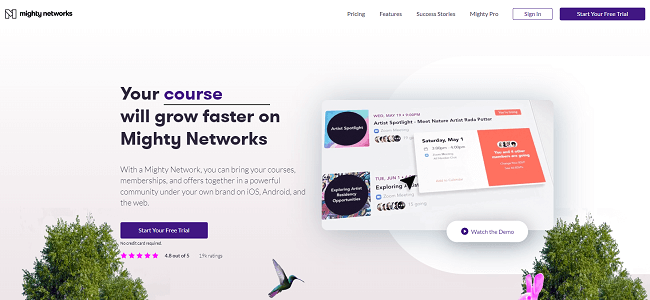
You can get started by using Mighty Network’s powerful native course builder to create your content, then gate that content in a members-only area. You can charge for courses individually or sell recurring subscription memberships.
To add value to your course, you can then create your own private community space for your members. This is where Mighty Networks really shines. It has a bunch of advanced community-building features that other course platforms don’t offer, like rich member profiles, direct messaging, live events and meetings, live streaming, etc.
The Mighty Effect™ personalization technology is a real game-changer. It personalizes the content your members see in your community spaces with content picked out specifically for them.
You can have unlimited members so you can grow your community without worrying about exceeding plan limits. And every time you get a new member, they can head to the Welcome and Discovery sections to find the content they’re looking for.
To help you grow your following, you can take advantage of Mighty Network’s Ambassador program. This is essentially an affiliate marketing system that allows you to offer incentives for your existing members to refer new members.
Key features
- Personalized members’ content. Might Effect technology serves up personalized content for your members.
- Rich profiles. Your course members can create their own user profiles much like on social networks.
- Ambassador program. Leverage the power of affiliate marketing and turn your customers into brand ambassadors
- Insights. Download member data and uncover insights and benchmarking data from your analytics dashboard.
Pros and cons
| Pros | Cons |
| Great for community building | No free plan |
| Mobile app | UX could be better |
| Flexible pricing options | |
| Deep insights |
Pricing
Plans start at $33/month when billed annually and a free trial is available.
#9 – LearnDash
LearnDash is a learning management system built on WordPress. You can either opt for their WordPress LMS plugin or a hosted version of their plugin, LearnDash Cloud.
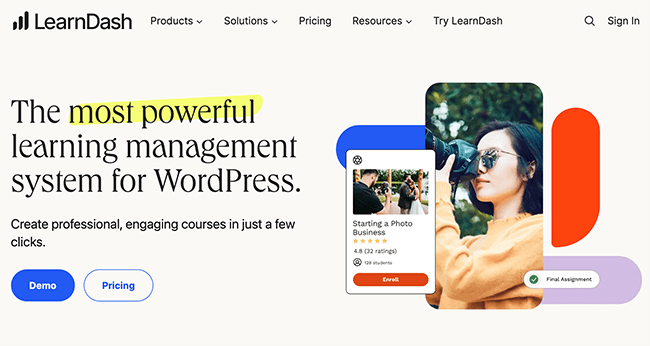
With LearnDash LMS, you can start creating and selling your courses straight away, with more control than you’d have with regular cloud-based online course platforms.
Or, if you’d prefer, you can use LearnDash Cloud to create and launch your course without having to set up a WordPress website.
One of the things we like most about LearnDash is its assessment features. It claims to have ‘the most powerful quizzing engine in the industry’, and that claim rings true.
There are tons of question types you can incorporate into your course, from essay questions to multiple choice questions, fill-in-the-blank questions, free choice questions, etc. You can also take advantage of advanced assessment features like graduation levels, certificates, badges, and automations.
LearnDash integrates well with WoCommerce and supports pretty much any payment gateway, including Stripe, PayPal, and over 300 other options. You can set up flexible pricing with bundles, memberships, etc.
It has a bit more of a learning curve than regular online course platforms, but if you are already familiar with the WordPress backend, you should get the hang of it in no time.
Key features
- Gradebook technology. Assign grades to students based on their assessment performance
- Focus mode. Block out distractions while your students are learning to help keep them focused and engaged.
- Multimedia. LearnDash supports any media type, from images and videos to PDFs, audio, and more.
- Payment gateways. LearnDash supports over 300+ payment gateways
- Full control. Because LearnDash operates within your WordPress, rather than on a third-party platform, you have full control and ownership.
- Cloud version available. LearnDash is no longer restricted to running on your own websites, a fully-hosted cloud version is available.
Pros and cons
| Pros | Cons |
| Flexible online course platform | Reporting could be better |
| Advanced Gradebook technology | High learning curve |
| Flexible payment options | |
| Lots of assessment options |
Pricing
LearnDash costs $119.40 for the first year and renews at $199 per year for 1 site. Higher-priced plans are available for 10 sites or unlimited sites.
There’s no free plan or trial available but they do offer a 15-day money-back guarantee (make sure you check the terms and conditions).
#10 – LearnPress (WordPress only)
LearnPress is a free learning management system for WordPress that you can use to create and sell online courses through your WP website. It provides all the basics, including a course builder, student management, and ecommerce features for free.
The lightweight and powerful plugin allows you to create course curriculums, lessons, and quizzes for your students in an easy-to-use interface. You can create a powerful and functional online course website with no coding skills required.
Although LearnPress is a free plugin, you can purchase optional add-ons to unlock even more powerful features. For example, you can purchase add-ons for assignments and certificates, quizzes, and more as well as add-ons for co-instructors. Also, you can purchase add-ons for extra payment options such as Stripe and 2Checkout.
Overall, LearnPress is an extremely full-featured and useful plugin that’s great for creating online courses with WordPress.
Key features
- Easy course creation. Easily create, import, and export your courses from your site.
- Multiple payment methods supported. Take payments using PayPal, Stripe, WooCommerce, and more.
- Tons of useful add-ons. Supercharge your course creation with tons of optional add-ons like certificates, Random quizzes, content drip, and more
Pros and cons
| Pros | Cons |
| Free forever | Some add-ons require payment |
| Easy to use | |
| Works with WordPress |
Pricing
LearnPress is a free plugin. However, some of the addons are charged separately.
#11 – Ruzuku
Ruzuku is a simple but powerful online course platform. You can use it to set up your online course in minutes. Ruzuku is a full-featured option and offers everything you’d need in a course platform. You can create courses, free and paid, and accept payments via Stripe and Paypal.
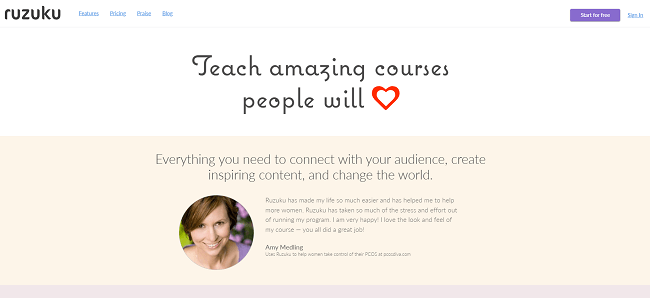
You can also host live courses, create on-demand courses with drip content and even create open-access self-directed courses too.
You can host and display various file formats including PDF, PPT, and Word documents, making it easy to create your course materials in whatever format you feel comfortable with. Additionally, your students can submit images, PDFs, and even videos in their responses which is great for encouraging engagement and participation.
Ruzuku also has features that can help you track your student’s progress and courses. For example, you can use the course health feature to analyze data about student activity, comment rates, and more. Students can also mark each course as complete when they’ve finished the content.
One of the best things about Ruzuku is its support options. They offer hands-on support via phone, Skype, and Email, and they also have a Facebook group, knowledge base, and tutorials that can help you make the most of the platform.
In addition to this, Ruzuku also handles tech support for your students if they’re struggling to access the course materials that they’ve registered for.
Key features
- Live Courses. Schedule live events and send automatic email notifications
- Course Health Tracking. Track key analytics like comments, completion, and student activity
- On Demand and Open Access Courses. Create drip courses or self-directed courses
- Great Support. Get help and support via phone, email, or Skype
Pros and cons
| Pros | Cons |
| Good support options | More expensive than other options |
| Easy to use interface | |
| Full featured |
Pricing
Plans start from $74.75/month and include unlimited course and creation and students. Ruzuku also offers a 14-day free trial.
The best online learning platforms compared
Next, let’s take a look at the best online learning platforms. Unlike regular online course platforms, which enable you to build your own membership site, learning platforms are online marketplaces where hundreds of different course creators list their online courses in one place.
The advantage of selling through online learning platforms is that you get access to a large audience of existing customers. As such, you don’t have to devote as much time and money to marketing in order to drive traffic and sales.
The disadvantage is that you don’t have as much control as you’ll be selling through a third-party site. And the learning platform will also usually take a cut of your profits, which can eat into your revenue.
#12 – Udemy
Udemy is one of the best online course marketplaces in the world. You can sign up as an instructor and sell online courses to Udemy’s huge user base of over 49 million students.
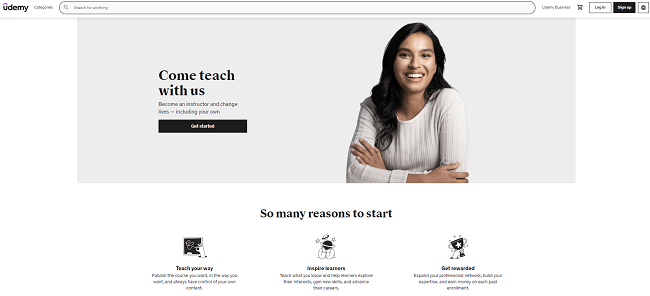
You don’t have to build your own membership site to sell online courses on Udemy. All you have to do is sign up as an instructor, then create and publish your course on the Udemy platform.
To help you create your course, Udemy puts a lot of tools at your fingertips. You can use the Marketplace Insights tool to find a topic that’s in demand and that matches your area of knowledge.
Once you’ve chosen a topic, you can browse the resources in the Teaching Center to learn more about how to create the best online course. And when you’re ready, you can record your videos and launch your course. Just bear in mind that videos need to be at least 30 minutes long and contain at least 5 lectures.
As soon as you’ve launched your course, it’ll be discoverable on the Udemy platform and visible to Udemy’s millions of students.
That said, just because you’re on the platform, it doesn’t necessarily mean you’ll make sales. It helps to give your course a push through marketing. The good news is Udemy provides tools for that too.
You can use the custom coupon tool to offer enrollment incentives, and opt-in to their global marketing promotions to drive traffic.
And because Udemy is such an authoritative course site, there’s a good chance your course will rank organically in the search engine results and get sales through SEO. Plus, Udemy even runs paid ads for courses on their site.
Despite the fact that you’ll be selling your course through someone else’s website, you still have control over your own prices and can set your tuition fees. However, Udemy operates a revenue share model, so you won’t keep 100% of your revenue. This is one of the main downsides.
The other big drawback of selling on Udemy is that you have stiff competition to deal with. There are lots of other courses on the platform, so it can be hard to cut through the noise. You’re at the mercy of the algorithm and if you’re not lucky, your course can end up buried underneath a sea of your competitors.
Key features
- Marketing promotions. Udemy regularly runs marketing campaigns to promote courses on their site.
- 24/7 support. You can reach out to Udemy’s support team for feedback and advice or browse the help center at any time.
- Coupons. Use the coupon tool to offer discounts and incentivize students to sign up.
- Marketplace Insights. Find a promising topic using Udemy’s marketplace insights tool.
Pros and cons
| Pros | Cons |
| Easy to get started | Udemy takes a substantial cut of revenues |
| Huge user base to tap into | Intense competition |
| Great support | |
| No subscription or sign-up costs |
Pricing
It’s free to sell your courses on Udemy, but the platform takes a cut of your revenue.
Udemy takes a 3% share of sales that come through your coupons or referral links, and a whopping 63% share of other sales, such as those that come from students who find your course through the marketplace or through Udemy advertisements.
#13 – Skillshare
Skillshare is another popular online learning platform that connects instructors to students around the world. As an instructor, you’ll film and upload short classes and publish it to the platform. Then, you’ll earn monthly royalties for every Skillshare member who watches your classes.
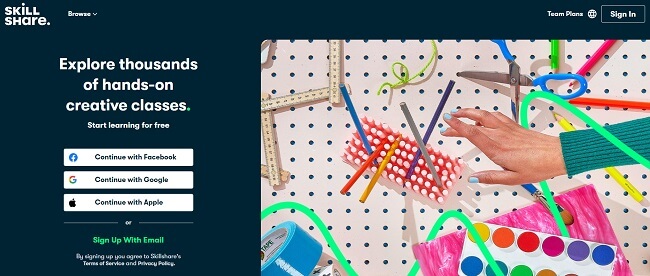
The amount you earn will be based on how many minutes of your content students watch, but the top earning teachers reportedly earn over $100,000 per year. On top of your royalties, you’ll also earn a bonus for every student you refer to the Skillshare platform.
You can publish your class at any time through our class upload tool. All new classes are reviewed by the Skillshare team to ensure they meet our guidelines.
Skillshare operates on a membership model, so your class will have a built-in audience from the start. We also have tons of tips to help you promote your class to your own community to help you maximize your success.
You can teach pretty much any topic on Skillshare, but popular categories include business, animation, design, illustration, photography, and writing.
You can teach pretty much any topic on Skillshare—there are only a few topics that are off-limits. Most classes relate to creativity, design, entrepreneurship, the arts, lifestyle, business, and photography.
To get started, just sign up and film your first Skillshare class (make sure it adheres to the Class Guidelines), then publish it using the class upload tool.
Video lessons are usually around 30-40 minutes in length, and every Skillshare class also has to have a hands-on class project, which requires students to use the skills they learned during the lesson.
Once you’ve uploaded your class, the team at Skillshare will review it. Once it’s approved, you’re ready to start making sales. Skillshare’s membership model means your classes will have a built-in audience right from the get-go, but if you want to have as much success as possible, it helps to promote your class to your own community and grow your following.
Key features
- New teacher program. Skillshare runs new teacher programs to help new teachers learn the ropes and maximize their chances of success.
- Community discussion forum. Skillshare is very community focused. Students can interact on an open discussion forum to share their progress and get feedback from others.
- Large user base. Skillshare is one of the most popular eLearning platforms, with millions of students.
Pros and cons
| Pros | Cons |
| Large user base | Competitive |
| Ideal for courses targeted at creative audiences | Revenues depend on watch time |
| Easy to get started | |
| Great teacher support |
Pricing
It’s free to sell online courses on Skillshare. The platform uses a royalty system and takes its cut before paying teachers.
Students pay for a skillshare membership to access the entire course catalog, and 30% of the membership revenue goes to a royalty pool—the remaining 70% goes to skillshare.
The royalty pool is split amongst teachers based on their share of the total number of paid minutes watched by students. In other words, the more time students spend watching your courses, the more you’ll earn.
#14 – Coursera
Coursera is a professional online course platform targeted more toward serious educators and students. It’s known for its world-class educational content and is used by some of the world’s leading universities and companies, including Imperial College London, IBM, Google, and more.
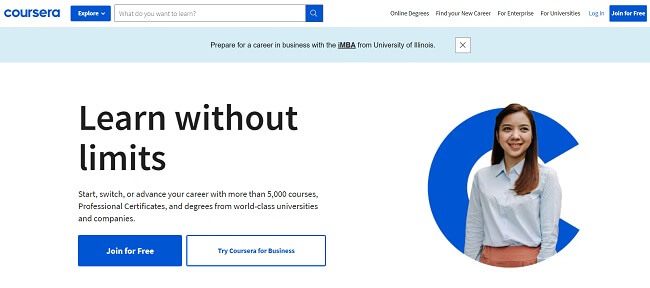
Most courses on Coursera lead to recognized credentials like degrees, certificates, or other professional qualifications. That makes it less suited for solo course creators. It’s really built for educational institutions and larger organizations.
The platform leans heavily on tech skills. Popular topics include programming languages like Python and Java, content writing, AI, data science, web design, and marketing.
Courses usually take 4 to 6 weeks and include a mix of video lectures and peer-reviewed assignments. Students can also interact in community discussion forums to get feedback and support.
Pros and cons
| Pros | Cons |
| Great for universities | Not suitable for independent course sellers |
| High-quality courses | |
| Recognized qualifications |
Pricing
If you want to become a Coursera partner, you’ll need to get in touch with them to discuss your needs.
If you’re a student, the cost of courses can range from as little as $15 for basic courses to $25,000+ for complete, university-recognized degrees.
#15 – Treehouse
Treehouse is an online course marketplace where users can learn to code online. It offers hundreds of courses, most of which are focused on technical skills like programming, design, development, and data analysis.
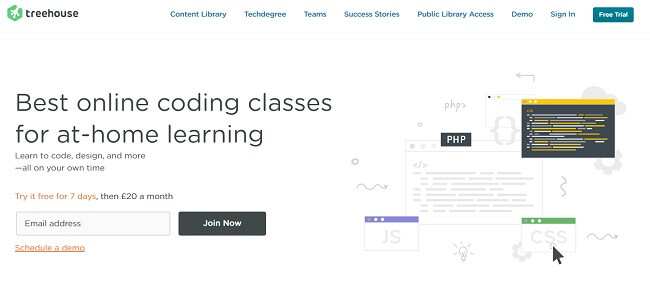
Treehouse might not be as well-known as Udemy or Skillshare, but it’s growing fast. Its mission is one I really respect: making tech education more accessible and helping diversify the industry.
Tens of thousands of students are already learning on Treehouse, and the number keeps climbing. They’ve partnered with some big names in tech too, like Amazon Alexa, Google, and Microsoft.
Here’s the catch. Unlike Udemy or Skillshare, you can’t just sign up and start uploading courses. If you want to create a course on Treehouse, you’ll need to reach out and see if they’ll accept it.
Pros and cons
| Pros | Cons |
| Great for tech courses | No sign-up option for creators (only students) |
| Admirable mission statement | Only for tech courses |
| High-quality courses | |
| Thriving community of learners |
Pricing
Students can sign up for Treehouse with a 7-day free trial.
There are various subscription plans available, starting from $25 per month, which give you access to expert-led video courses. You can also sign up for their job-ready Techdegree programs for $199/month.
How to choose an online course platform (features to look out for)
As you can see, there are lots of great online course platforms out there to choose from—so how do you know which one is right for your business? Well, here are some features to look out for while comparing your options.
Supported media files
The first thing to consider is what kind of media you plan on using in your course, i.e. video, audio, images, text files, etc.
For example, if you’re making a video course, you might want to choose a platform that comes with video hosting, or at least gives you the option to embed videos. If you want to provide downloadable PDF files in your lessons, choose a platform that supports this.
Engagement features
The best online courses keep students engaged. That’s why it’s a good idea to choose a platform that lets you build engagement into your course through things like interactive quizzes, rewards and certificates, and other gamification elements.
These kinds of features will all help you to keep students interested and improve your course completion rates.
Student interaction & community building
If you want to be able to interact with your students directly, look for a platform that offers feedback features. Some platforms also support live streaming, through which you can interact with students in real-time and answer their questions.
Even better, certain platforms even allow you to build your own members-only community forums, through which students can discuss your course and interact with each other. This can help you to build a thriving community around your business.
Delivery options
Think about how you want to deliver your courses to your students. Do you want customers to have access to the whole course straight away? Or would you prefer to give them access section by section?
In the latter case, you’ll need to choose a platform that supports drip courses. With drip courses, you take regular payments and give access to additional modules or lessons at set intervals, such as every month or every time the customer renews their subscription.
Marketing tools
If you don’t already have an existing audience to tap into, you’re probably going to have to market your course if you want to make sales. That’s why it’s worth choosing an all-in-one course platform that has built-in marketing tools, such as email marketing, affiliate marketing, sales funnels, etc.
Alternatively, you can purchase your marketing software separately and integrate it with your course platform. If you want to go down that route, check out our roundup of the best email marketing services.
Customizable page templates
Most online course platforms come with templates to help you create your landing and sales pages. Look for a platform with lots of professionally-designed, high-converting templates, and make sure they’re easily customizable.
Alternatively, you can build your landing pages separately using dedicated landing page builder software and integrate them with your course platform. This approach usually gives you more control and more extensive customization options.
Payment options
Another thing to consider is how you plan on pricing your online course. Some platforms support more payment processors and pricing systems than others.
For example, depending on what platform you choose, you might be able to set up recurring subscriptions, product bundles, discounts, etc. Make sure you choose a solution that can set up the kind of course pricing system you plan on implementing.
Integrations
Look carefully at supported integrations before you decide on a course platform. If you want to sell courses on your existing website, you’ll need to choose one that offers easy integration with your CMS, such as through a WordPress plugin or Shopify app. It should also integrate well with the rest of your tech stack, like your email marketing software, CRM, etc.
Price
And of course, the price matters too. You can get started with some online course platforms for free, but bear in mind that most free options will charge transaction fees and take a cut of your sales.
If you plan on selling lots of courses, you’ll usually be able to save money by signing up for a paid platform instead that has no transaction fees.
The cheaper plans usually have fewer features and may limit the number of courses you can build or sales you can make. Choose something that fits your budget but make sure it makes sense for your business.
Frequently asked questions
Online course platforms vs online learning platforms: Which should I use?
Both online course platforms and online learning platforms (marketplaces) have their pros and cons.
If you’re a new course creator and you want to test the waters, we’d recommend starting with a learning platform like Udemy. This will give you an opportunity to validate your course topic and content before you invest time into building your own site and launching marketing campaigns.
Once you start making sales, you’ll know whether or not there’s a lot of demand for your course. If there is, you can then proceed to use an online course platform like Thinkific to launch your course and move everything over.
How do I promote my course?
Creating your online course and membership site is only half the battle. If you want to make sales, you’ll need to promote it and build your audience. Here are some popular marketing strategies you can try.
Affiliate marketing
If you sign up for a platform like Podia, you can set up your own affiliate program and turn your members into sales reps. It works like this:
First, users sign up for your affiliate program and get their own unique affiliate code. Then, those affiliates promote your course to their friends, family, etc.
When someone purchases your course through their affiliate link, you pay out a commission to whoever referred the sale. You can choose the commission rate you offer to your affiliates, but most people offer 10%-20%.
The great thing about affiliate marketing is its very low effort. You don’t have to do any marketing yourself as your affiliates do it for you and take a cut of the sales.
And because you only pay out when you make a sale, it’s a risk-free marketing strategy that guarantees you’ll get a positive return on investment.
Email marketing
f you want one of the highest ROI marketing channels, email marketing is it.
Here’s how it works. First, you build your mailing list. Offer a lead magnet, like a free mini-course or digital download, on a landing page and drive targeted traffic to it.
Once people opt in, you nurture them with emails that warm them up to your course and guide them down your sales funnel. When the timing’s right, you can send an exclusive discount or special offer to get them to buy.
The best part? You can automate all of this with email marketing software. Some course builders do include email marketing but I’d almost always use a third-party tool like MailerLite.
Blogging / SEO
One of the easiest ways I drive sales for a course is with blog content people are already searching for.
Say you’re selling a photography course. You write posts like “photography lighting tips” and optimize them for SEO. Rank at the top and you get free, targeted traffic from people already interested in your topic.
From there, you can turn those visitors into leads or course buyers by encouraging them to join your email list.
If SEO is part of your plan, make sure your platform has blogging built in. WordPress is usually the way to go.
Paid ads
SEO is great for the long game, but if you want results fast, paid ads are the way to go.
The easiest way to get started is with PPC campaigns on Google Ads or Facebook Ads. You pay only when someone clicks, so targeting is everything. Make sure the people who click are actually likely to buy.
And don’t send them to just any page. Send them to a high-converting landing page to get the most out of every ad dollar.
Social media marketing
Social media is another marketing channel that can drive serious traffic to your course website and landing pages.
I like to keep things consistent by using a social media calendar tool. It makes sure fresh content goes out across my profiles on a regular basis.
Building an audience? One of the fastest ways is contests and giveaways. For example, you can offer free access to your course as the prize and require people to share the giveaway to enter. These things can go viral fast. Tools like social media contest apps make running giveaways simple.
You can also team up with influencers in your niche, run paid social ads, or focus on growing your own organic following. The key is getting your course in front of the right people consistently.
Related Reading: 19 Proven Ways To Market Your Online Course.
What are the most profitable online course niches?
There’s a lot of demand out there for online courses, but certain topics are more in-demand than others. Some of the most profitable online course niches include:
- IT skills (e.g. programming, web design, web development, machine learning & AI, etc.)
- Digital marketing (e.g. SEO, social media marketing, copywriting, etc.)
- Health & fitness (e.g. muscle building, weight loss, nutrition, yoga, etc.)
- Wellbeing (e.g. meditation, stress management, etc.)
- Dating & relationships
- Business & entrepreneurship
- Life coaching
- Arts and crafts
- Graphic design
These are just some ideas you might want to try. But ultimately, any niche can be profitable. If you have a certain skill or expert knowledge in a given area, you can bet there are people out there willing to pay for it.
And often, the highly-specific, less-popular online course niches are the most profitable, as there’s less competition.
How do I price my online course?
One of the first things you need to figure out when starting your eLearning business is how to price your online course.
A lot of first-time course creators make the mistake of charging too little, thinking it’ll be easier to make sales. The truth is, cheap courses can actually be harder to sell. Low prices can make your course seem low-quality and hurt its perceived value.
On the flip side, you don’t want to overprice either. The goal is to find that sweet spot. According to eLearning stats, the average online course sells for about $177. That’s a solid benchmark, but your price should reflect the value you’re providing. Some high-end courses go for $1,000 or more, while others start at $50 or less.
You’ll also need to decide on a pricing model. Some creators sell full lifetime access for a one-off fee. Others charge a monthly subscription and drip content over time to create recurring revenue. Both can work, it just depends on your course and your business goals.
How much can you make selling online courses?
The online course industry is booming and it’s possible to make a lot of money if you find the right product-market fit. According to one study, 39.4% of online tutors make between $25,000-$50,000 per year—a full-time income in most people’s books. And a further 27.9% make more than $75,000 per year selling online courses.
The most lucrative online courses can generate six- or even seven-figure revenues. It’s not easy to achieve these kinds of numbers but if you create a great course and market it, the sky really is the limit!
How long should an online course be?
There are no hard-and-fast rules about how long an online course should be—it depends on the topic.
However, as a general rule of thumb, I’d suggest aiming for 10-25 hours in total in most cases. That said, shorter courses can be as little as 5-10 hours, and very long courses can be as much as 25-100 hours or more.
But remember that most people have short attention spans, so your course should be broken up into several sections or modules, and each module should be further broken up into individual lessons. Each lesson should take no longer than 15 minutes to 1 hour to complete.
What’s the average online course completion rate?
Average completion rates can vary substantially from one course to the next—but they don’t tend to be very high.
Across the board, average online course completion rates hover around 15%, which means the vast majority of your students will drop out before completing the whole course. In fact, on Udemy, the average student completes just 30% of the course.
There are some things you can do to improve your course completion rates. One tactic you can try is to add gamification to your course by offering rewards when students reach certain milestones. This incentivizes them to keep going.
You can also try making your course shorter, or looking for ‘bottlenecks’ where most students tend to drop out and revising the content in that section to make it easier.
Final thoughts
The truth is that the best online course platform is the one you’ll actually use.
I’ve shown you a bunch of solid options that cover a variety of use cases. Some are perfect if you want full control with a website you own. Others are marketplaces that help you reach a bigger audience fast.
Test a few of them, figure out which fits your style, your audience, and your business goals.
Once you pick the right platform, you can focus on creating amazing courses, promoting them effectively, and actually making money from your expertise.
The right platform will remove tech headaches so you can focus on what really matters; teaching, growing your audience, and scaling your business.
The best part is, some of the platforms I covered let you get started for free with a trial or a limited plan.
Disclosure: Our content is reader-supported. If you click on certain links we may make a commission.
