

Looking for the easiest ecommerce platform for beginners? You’re in the right place.
If this is your first online store, you want a platform that’s simple to use. Something that lets you skip the tech headaches and focus on what really matters, running and growing your business.
In this post, I’m sharing what I think are the best ecommerce platforms for beginners.
Every option on this list is fully hosted, easy to use, and comes with everything you need to start selling right away. No complicated setup, no stress, just a store that works.
The best ecommerce platforms for beginners – comparison
TL;DR:
- Sellfy – Best ecommerce platform for beginners. Everything you need to start selling in one platform. Easy to use. Built-in marketing & print-on-demand features.
- Shopify – Best for larger stores. Offers more flexibility but with a slightly higher learning curve. More expandable but relies more on external apps.
- Squarespace – Best for those who need a website builder with ecommerce functionality built-in.
#1 – Sellfy
Sellfy is our top recommendation for those new to ecommerce. It’s incredibly easy to use and has everything you need to sell, manage, and market your products in one place. Plus, it also has a couple of unique features you won’t find anywhere else.
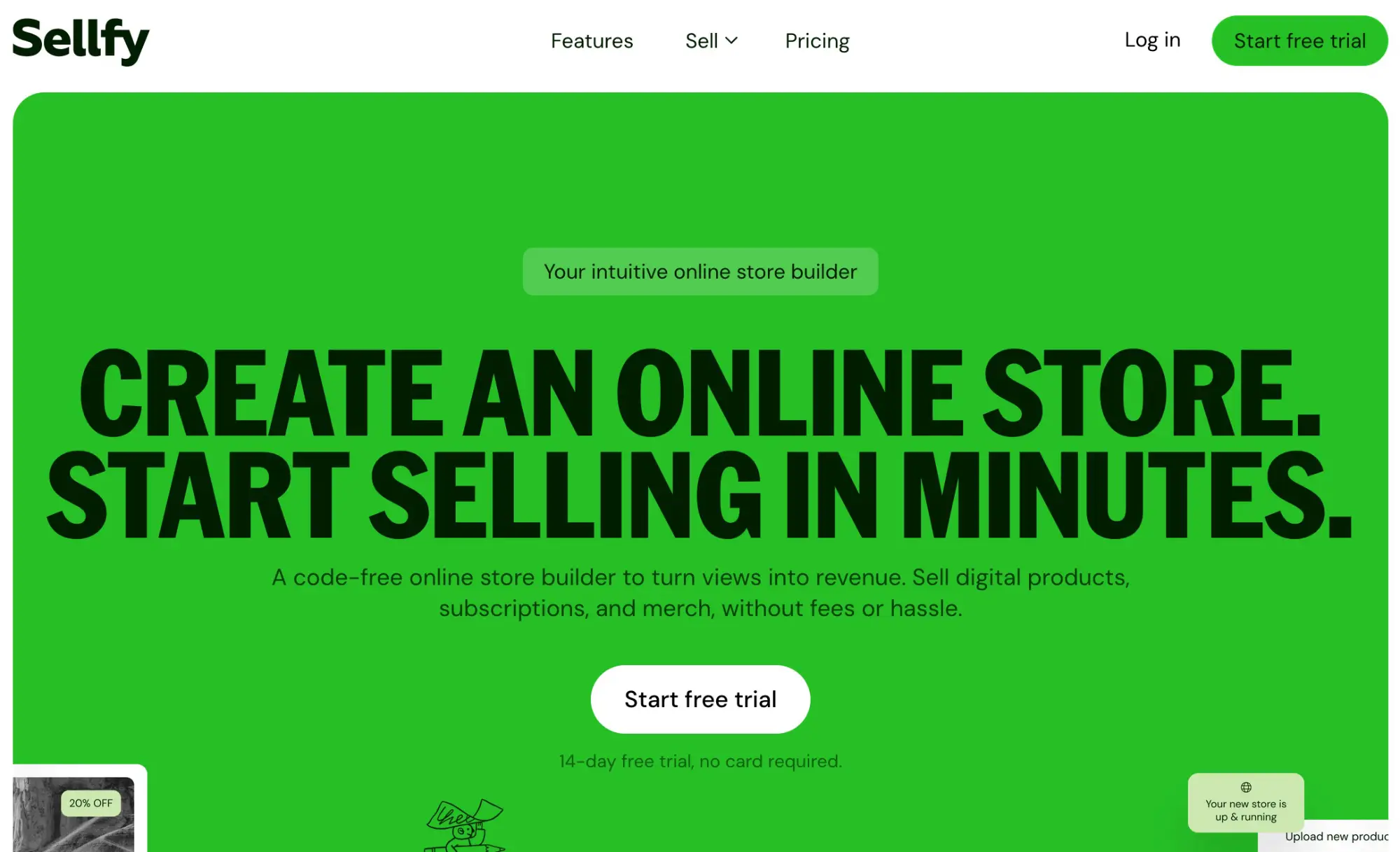
With Sellfy, the process of setting up your store couldn’t be easier.
You just sign up, add your products, and connect your preferred payment processor (Stripe or PayPal). Then, you’re ready to start making sales.
Sellfy sets up your storefront for you, but you can of course customize it as needed in the built-in Store Customizer. There are a bunch of premade store themes that you can switch between in a couple of clicks.
You can sell all sorts of products through Sellfy, including digital products, memberships/subscriptions, and physical products. For physical goods, you can set up shipping options, manage inventory with stock limits, etc.
And Sellfy comes with a bunch of tools to make your life as a new seller easier, including automatic VAT/Tax collection (trust me, this will save you from a lot of headaches) and lots of built-in marketing features (email marketing, upsells, discount codes, etc.)
But arguably the best thing about Sellfy is its built-in print-on-demand catalog. You can upload your designs to blank products in Sellfy’s POD catalog (like t-shirts, mugs, etc.) to create your own custom-designed merchandise, and then sell them through your Sellfy store.
When you make a sale, Sellfy will fulfill the order for you by printing the product and shipping it straight to the customer. You only pay for what you sell, so it’s more or less totally risk-free, and a great option for new sellers who don’t have a lot of cash to invest in inventory.
Key features
- Digital products
- Physical products
- Subscriptions
- Print on demand
- Affiliate marketing
- Video streaming
- Store customizer
- Shopping cart
- Email marketing
- Upselling
- Discount codes
- Buy now buttons
Pros
- The best ecommerce website builder
- Super easy to use
- Built-in print-on-demand feature
- VAT/Tax collection
- Fast setup process
- Supports most product types
Cons
- Only two supported payment gateways (PayPal & Stripe)
- Sales limited to $10k – $200k per year, depending on your plan
Pricing
Plans start from $29/month, with hefty discounts available when you sign up for yearly or two-year billing. Get started with a 14-day free trial.
Read our Sellfy review.
#2 – Shopify
Shopify is our runner-up pick. It’s another fantastic ecommerce platform that’s fairly easy to use, but it does have a slightly higher learning curve than Sellfy. That said, it offers much more flexibility, and it’s very scalable, which makes it a good choice for larger stores.

Shopify is the most popular hosted ecommerce platform in the world, and powers over a quarter of all online stores—that should tell you something about how good it is.
Part of the reason for that popularity is how expandable it is. There are over 8,000 apps in the Shopify App Store, which you can install on your store in a couple of clicks to extend its functionality.
For example, want to start dropshipping? Install a dropshipping app like Spocket. Want to offer a loyalty program to your customers? Install a rewards app like Smile.
Of course, you don’t have to install apps to use Shopify—it has most of the stuff beginners will need out of the box. That includes a store builder, product and inventory management, shipping tools, tax collection tools, free and paid store themes, a lightning-fast checkout, and more.
Before you can start selling, you’ll need to choose a payment processor. Shopify offers its in-house processor, Shopify Pay, but you can also connect to third-party gateways like PayPal, Stripe, Apple Pay, etc. Just keep in mind that Shopify charges small additional transaction fees if you choose to use third-party gateways.
Key features
- Drag-and-drop store builder
- Customizable templates
- Inventory management
- Order management
- Unlimited products
- Discount codes
- Custom domain
- SSL certificate
- Analytics & reports
- Shipping rates
- Marketing features
- App Store
- Shopify POS
- Shopify Pay
- Payment gateway integrations
Pros
- Powerful and feature-rich
- Fast page loading
- Excellent checkout
- Beginner-friendly
- Very flexible and extendable
Cons
- More reliant on third-party apps
- Additional transaction fees when you use third-party payment gateways
- Slightly higher learning curve than Sellfy
Pricing
Plans start from $5/month, save up to 25% on select plans when you sign up with yearly billing. Get started with a 3-day free trial, then $1/month after for 3 months.
Read our Shopify review.
#3 – Squarespace
Squarespace is an all-purpose website builder with ecommerce functionality. It was designed for beginners, so it’s super easy to use.

Originally, Squarespace catered more towards users creating regular, brochure-style websites than ecommerce stores.
But they later added a bunch of powerful ecommerce features, including product management, ecommerce store templates, flexible shipping options, payment and checkout options, tax tools, and more.
You can sell all sorts of products through your Squarespace store including digital content, physical inventory, subscriptions, and services.
There are also built-in SEO, email marketing, and social media tools to help you drive more organic traffic to your ecommerce site, and features to help you convert that traffic to leads and customers.
But the best thing about Squarespace has to be its templates. It offers a much wider variety of store templates (including ecommerce store templates) than most other platforms, and they’re all crafted by world-class designers, so they look fantastic.
Key features
- Website builder
- Templates
- Flexible shipping options
- Checkout
- Tax tools
- Order management
- Integrations
- In-person selling
- Digital content & subscriptions
- SEO
- Email campaigns
- Social media tools
Pros
- Best-in-class templates
- Easy to use
- Good for artists and creatives
- Affordable
Cons
- More of a general-purpose website builder than a true ecommerce platform
- Not as good for large stores
Pricing
Plans start from $25/month, save when you pay annually. Get started with a 14-day free trial.
#4 – Payhip
Payhip is another one of the easiest ecommerce platforms for beginners to use, especially if you plan on selling digital downloads or online courses. It’s used by over 130,000 creators
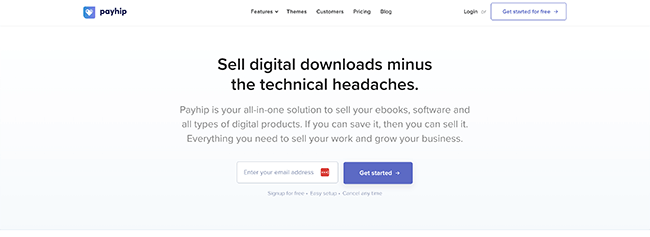
Payhip’s store builder is super easy to use, so you can set everything up in no time. The high-converting checkout is simple and effective, and it comes loaded with lots of other useful selling tools.
That includes VAT handling to help you stay tax compliant, flexible pricing (including a pay-what-you-want pricing option), and a bunch of useful marketing features like an affiliate system, email marketing tool, discounts/coupon engine, etc.
You can sell all types of products with Payhip, but it’s particularly good for selling knowledge products like courses and coaching.
It has its own integrated course builder, which you can use to create your eLearning curriculum, plus a commenting system, student account management features, a beautiful course player, an eLearning certificate feature, support for drip content, etc.
Key features
- Store builder
- Templates
- Digital products
- Physical products
- Course creator
- Course player
- Student management
- Affiliate marketing
- Email marketing
- PWYW pricing
Pros
- Feature-rich
- Great for selling courses
- Easy to use
- Generous free forever plan (includes all features and unlimited products & revenue)
Cons
- Transaction fees on the Plus plan
- Support could be better
Pricing
Free plan available. Paid plans start from $29/month (+2% transaction fee).
Read our Payhip review.
#5 – Volusion
Volusion is another easy-to-use ecommerce platform worth checking out. It’s a little bit pricier than some of the other ecommerce platforms we’ve looked at so far, but it’s built for growth, with a great feature set.
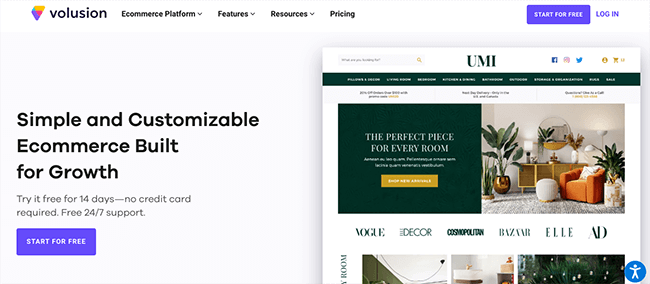
Volusion comes with a powerful site builder and editing tools that beginners should find straightforward enough to work with, as well as all the other features you need to manage your ecommerce business and drive sales.
There are a bunch of modern, professional website themes to choose from, and they all look great.
You can connect your Volusion store to your own custom domain, and things like hosting, SSL certification, and unlimited bandwidth are all included as standard.
The main downside is that Volusion limits the number of products you can have in your store, and the GMV you can sell, on its Personal and Professional plans.
Only Prime users get unlimited everything, but the Prime plan is very expensive (pricing depends on GMV).
Key features
- Website builder
- Themes
- Hosting
- SSL
- Unlimited bandwidth
- Management features
- Ratings and reviews
- CRM
- Abandoned cart reports
- Newsletters
- Native checkout
- Integrations
Pros
- Fast and reliable
- Advanced features
- Great for beginners and established stores alike
- Powerful and flexible
Cons
- Limited products and GMV on certain plans
- Fairly expensive
- No free forever plan (only free trial)
Pricing
Plans start from $35/month, get 10% off when you pay annually. Get started with a 14-day free trial.
#6 – BigCommerce
BigCommerce is another very popular ecommerce solution with hundreds of thousands of users. It’s separated into two platforms: Enterprise and Essentials.
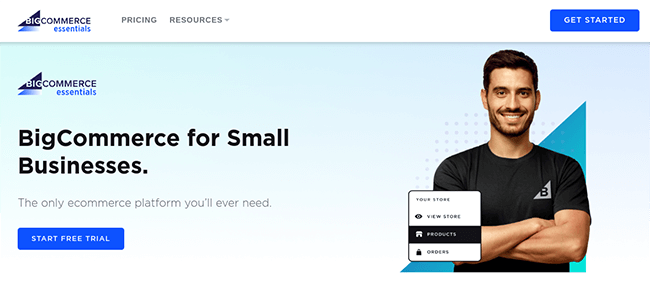
Beginners will probably want to sign up for BigCommerce Essentials as it’s more affordable and has been specifically designed for smaller businesses and new startups. Enterprise is for larger businesses.
Once you’ve signed up, you’ll be able to build your perfect store with the super-intuitive page builder. There are a bunch of conversion-optimized themes to choose from, which look great on all devices.
Aside from your store, you can also customize your checkout on BigCommerce. And you get access to all the other tools you need to manage your business, like marketing tools, conversion tools, SEO customization, social and marketplace integrations, etc.
There’s a POS system so you can sync your offline and online sales channels and a product ratings and review system to help you add social proof.
To help you boost conversions, there’s an abandoned cart saver and ‘persistent cart system’, which saves the customer’s shopping cart so that their products are still added when they switch devices.
BigCommerce is also one of the only platforms we’ve tried that lets you set up multiple, unique stores from one account.
No matter what plan you sign up for, or what payment gateway you use, BigCommerce doesn’t charge additional transaction fees. And you get unlimited products, bandwidth, storage, and staff accounts on every plan.
Key features
- Online store builder
- Multi-storefront
- POS
- Amazon/eBay./Walmart connection
- One-page checkout
- Coupons, discounts, and gift cards
- Multi-currency
- Real-time shipping quotes
- Built-in blog
- Product ratings and reviews
- Analytics & reporting
- Abandoned cart saver
- Persistent Cart
- Mobile app
Pros
- Feature-rich
- Flexible and powerful
- Multi-store feature
- No limits plans
- Zero transaction fees
Cons
- No free plan
- Higher learning curve than some other platforms
- While they do have an Essentials plan which caters to beginners, the brand is mostly focused on acquiring enterprise customers.
Pricing
The Essentials plan starts at $39/month, get 25% off when you pay yearly. Try it out with a 15-day free trial.
#7 – Weebly
Weebly is another general-purpose website builder with ecommerce functionality. It’s incredibly affordable and offers a solid free plan, which makes it a great choice for beginners.

Weebly gives you everything you need to start selling online. You get a no-code, drag-and-drop website builder, plus tools for inventory management, order tracking, tax handling, real-time shipping calculations, vouchers, and multiple currencies.
One feature we love is abandoned cart recovery. It’s a simple way for beginners to boost sales with almost no extra effort.
You also get access to a variety of sleek ecommerce templates and plenty of customization options. Add parallax effects, video backgrounds, or animations to make your site look dynamic and keep visitors engaged.
Weebly includes basic email marketing tools and SEO features to help your products get found on Google. Plus, it’s one of the few ecommerce platforms with Apple App Store and Google Play apps so you can manage your store from anywhere. The one-page checkout also converts like crazy.
For everything it offers, Weebly is surprisingly affordable, with paid plans starting under ten bucks a month. The free plan is solid for beginners but you’ll need a paid plan if you want a custom domain.
Key features
- Drag and drop website builder
- Inventory management
- Tax handling
- Shipping tools
- Multiple currency support
- Order management
- Vouchers
- Templates
- Email marketing
- SEO
- Mobile apps
Pros
- Great value for money
- Feature-rich
- Beginner-friendly
- Mobile app available
Cons
- Important features gated behind higher-tier plans
- Not as good for large stores
Pricing
Free plan available. Paid plans start from $13/month, discounts are available with annual billing.
#8 – BigCartel
Last but not least, we have BigCartel. Another super easy-to-use online store maker. It’s a great choice for artists, makers, and creators.
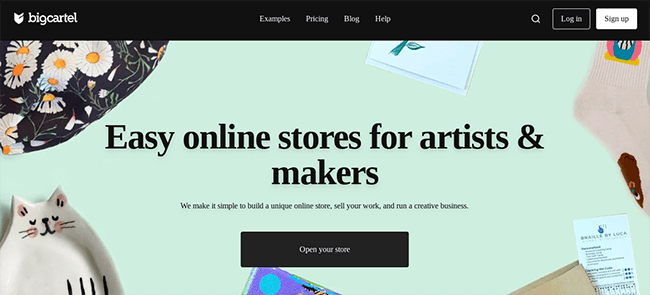
The best thing about BigCartel is its selection of free store templates. Since the platform is built for artists, every template has personality and style. Your store won’t look like every other online shop out there.
BigCartel is also incredibly easy to use. Just sign up, pick a theme, customize it in the simple editor, add your products, and start selling.
You can accept multiple payment methods, automatically calculate sales tax for different locations, set up shipping tracking, and more. You can even create offers, discounts, and promotions while tracking all the key metrics with real-time analytics.
BigCartel has a free forever plan for up to five products, which is perfect for beginners selling just a few items. Paid plans give you higher limits and remain very affordable.
Key features
- Website builder
- Customizable themes
- In-person selling
- Payment options
- Real-time analytics
- Custom domain
- Discounts and promotions
- Shipping tracking
- Automatic sales tax
- Bulk editing
Pros
- Great for artists
- Creative store templates
- Easy to use
- Affordable
Cons
- Lacks some advanced features
- Not as good for large stores
Pricing
Free plan available. Paid plans start from $9.99/month.
Frequently asked questions
Before we wrap up, here are the answers to some of the most commonly asked questions from those new to ecommerce.
Which ecommerce platform has the lowest fees?
Many of the ecommerce platforms in this list offer plans with zero transaction fees, including our top pick, Sellfy.
If you’re looking for a platform with the lowest monthly subscription fees, Weebly’s Personal plan is a good option. It’s incredibly cheap.
What ecommerce platform is best for a small business?
It depends on what you’re looking for.
Sellfy is the best choice for small businesses who want to prioritize ease of use and have less than $200k in annual sales. It’s also the best ecommerce platform for selling digital products.
On the other hand, Shopify is probably a better fit for small businesses that primarily sell physical products, have complicated shipping/inventory, and sell over $200k worth of products per year. It’s also best for those who want something more flexible/versatile. There are plenty of alternatives & competitors, but Shopify is one of the best options out there for small businesses.
How can I sell online for free?
You can sign up for Sellfy’s free trial to sell online for 14 days for free. If you want to sell online for free forever, Payhip has a very good free forever plan, but they’ll take a 5% cut of your sales.
Alternatively, you can also sell on third-party marketplaces/platforms for free, like Amazon or Etsy.
How long does it take to build an online store?
It’s possible to build an online store in under an hour. With Sellfy, for example, you just need to sign up, add your products, connect a payment processor, and customize your theme as needed. The whole process can take as little as 15 minutes.
How much can you make from ecommerce?
The sky’s the limit when it comes to eCommerce. Globally, ecommerce sales are expected to generate over $4 trillion by 2024, and the top-performing stores can make millions in sales revenue every year.
If you’re a beginner working on your first-ever store, that might be a little ambitious, but $10k-$50k per year is certainly achievable.
How do I market my ecommerce store?
There are lots of different marketing channels/strategies you can use to drive traffic and sales to your online store, including:
- SEO – Optimize your product pages and store for the keywords your ideal customers are searching for. Better SEO = more organic traffic without paying a dime.
- Email marketing – Build a list, nurture leads, and send automated sequences, offers, and discounts to turn prospects into paying customers.
- Social media marketing – Promote your products on Instagram, TikTok, Facebook, or wherever your audience hangs out. You can grow organically, invest in paid ads, or work with influencers to reach new buyers.
- Paid advertising – Use Google Ads, Facebook Ads, and other PPC campaigns to drive targeted traffic straight to your store. It costs money, but a well-run campaign can deliver huge ROI. Get it wrong and it’ll cost you big time though.
Final thoughts
That wraps up our roundup of the best ecommerce platforms for beginners.
There are plenty of easy-to-use options to choose from, but which one is right for you? Here’s a quick recap of our top three picks to help make your decision easier:
- Sellfy is the overall best choice for most beginners. It has everything you need in one place, including an easy-to-use store builder, marketing tools, and print-on-demand features.
- Shopify is the best pick for larger stores. Unlike Sellfy, it doesn’t cap your sales revenue, and it offers more flexibility thanks to its huge app store. However, it has a slightly higher learning curve, and it’s a little more expensive.
- Squarespace is a great choice for those looking for a general website builder with basic ecommerce functionality. It’s easy to use and very affordable.
If none of the platforms in this list have the features you’re looking for, you can explore more options in our roundup of the best ecommerce platforms.
Want to sell print on demand products through your store? Check out these print on demand platforms. Or if you want to start dropshipping, see our comparison of the best dropshipping websites.
Disclosure: Our content is reader-supported. If you click on certain links we may make a commission.
